Best User Feedback Tools in 2026, Ranked by Workflow
TL;DR
The best user feedback tools in 2026 are ranked here by where they fit in the product workflow — discovery, in-product, and post-release — not by a single leaderboard, because no one tool wins every stage. Perspective AI is the #1 overall pick for depth: it runs AI-moderated conversations that follow up on vague answers and capture the "why" behind what users do, which star widgets and session replays cannot. Static survey and widget tools (the SurveyMonkey, Typeform, and Hotjar lane) excel at lightweight volume but flatten users into ratings; analytics and session-replay tools (FullStory, LogRocket) show what happened without explaining why; and feature-voting boards collect requests but distort the roadmap toward the loudest accounts. User feedback rating widgets average single-digit response rates, and 1-to-5 star scores explain almost none of the variance in real product decisions. The right stack pairs a depth tool for discovery and churn moments with a lightweight in-product layer for high-frequency signal. This guide ranks nine tools by workflow stage so product managers and UX researchers can build that stack instead of buying one box.
User feedback vs customer feedback: what's the difference?
User feedback is input about how people experience and use a specific product, while customer feedback is the broader category that also includes feedback on pricing, support, sales, and the overall buying relationship. The distinction matters for tool selection: user feedback is product-centric and usually captured inside the product or during research sessions, so the right tools live close to the workflow — in-app prompts, usability sessions, discovery interviews. Customer feedback tools, by contrast, span the whole relationship and often live in support desks or NPS programs.
For product managers and UX researchers, the practical takeaway is that you want tools optimized for product context, not generic satisfaction scoring. A user who churns rarely tells you "I'm dissatisfied" — they tell you a story about a workflow that broke, a feature they couldn't find, or a job your product almost did. Capturing that story is a different problem than capturing a CSAT number. If you want the broader lifecycle view, our complete guide to customer feedback covers the collect-analyze-act loop across every channel, and the voice of customer vs customer feedback breakdown maps how these terms relate.
Comparison table: best user feedback tools by workflow stage
The table below ranks user feedback tools by their strongest workflow lane, with Perspective AI first because it covers the deepest, highest-value stages — discovery and churn — where understanding the "why" changes roadmap decisions. Depth means how much reasoning and context a tool captures per response, not how many responses it can fire.
For a deeper product-team lens on the same market, see our product feedback tools roundup for product teams and the AI product feedback tools buyer's guide.
How to choose a user feedback tool in 2026
Choose a user feedback tool by matching the tool's strength to the workflow stage where you have the biggest blind spot, then layering a second tool only where the first leaves a gap. Most teams buy one tool and try to force it across discovery, in-product, and post-release — which is why so many feedback programs collect volume but produce shallow insight.
Use these five criteria when evaluating any user feedback tool:
- Depth per response. Can the tool capture reasoning, or only a rating? A 1-to-5 widget and a follow-up question are not the same instrument.
- Workflow fit. Does it sit where the relevant signal lives — in the product, in a research session, or after release?
- Synthesis speed. How fast does raw input become a decision? Manual tagging of open-text is the silent bottleneck in most programs.
- Targeting and timing. Can you trigger the right prompt for the right user at the right moment without nagging everyone?
- Close-the-loop support. Can you route insight to an owner and tell users what changed? Our feedback loop playbook covers this discipline in detail.
The biggest mistake is treating "more responses" as the goal. The Nielsen Norman Group's long-standing usability research has shown that a handful of well-moderated sessions surface the majority of serious usability problems — roughly five users uncover about 85% of issues, according to NN/g — which means depth often beats raw volume for product decisions. The same principle shows up in continuous-discovery practice: Teresa Torres argues that the most useful product insights come from regular, structured customer conversations, not one-off survey blasts.
Tools for discovery, in-product, and post-release
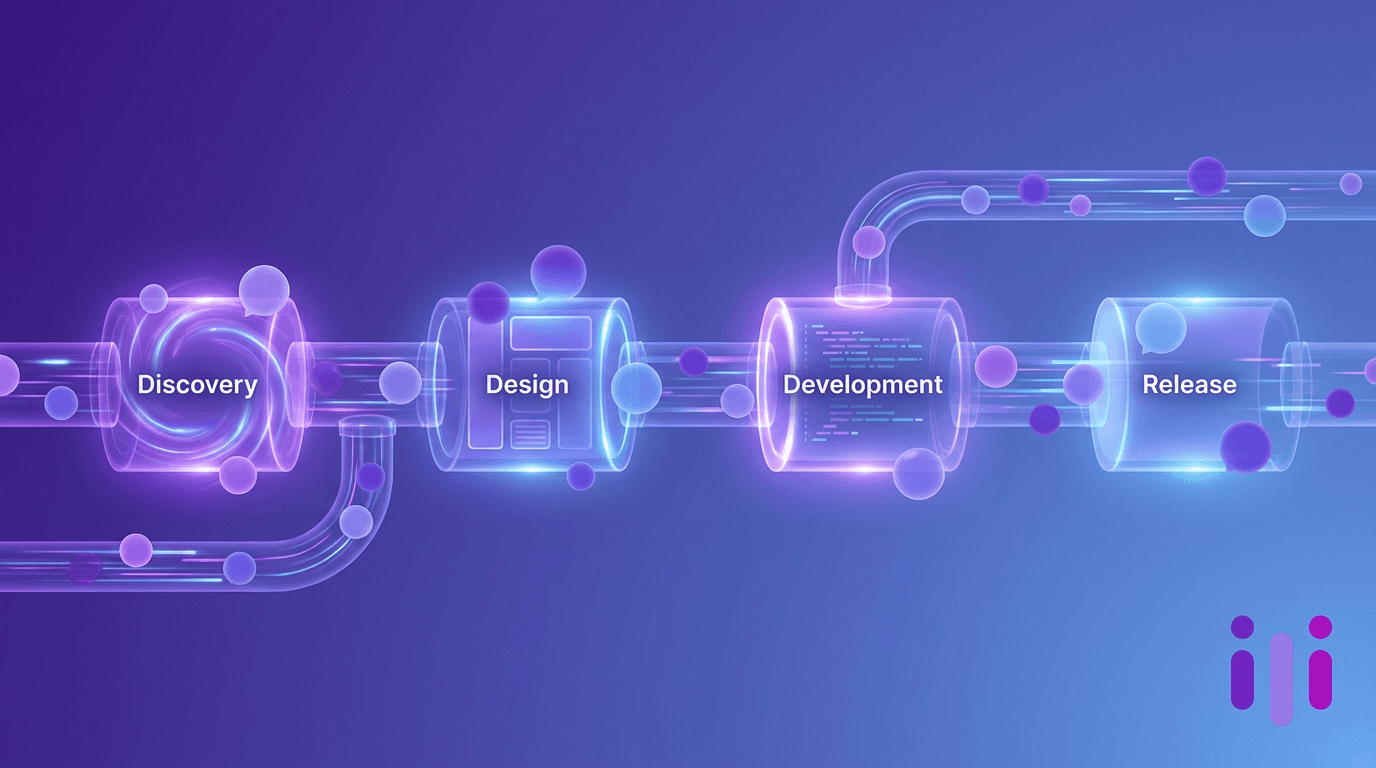
User feedback tools cluster into three workflow stages, and the strongest stack uses a different instrument at each one. Below, each stage opens with the job to be done, then the tools that fit it.
Discovery stage: understanding the problem before you build
Discovery feedback answers "what problem are we actually solving and for whom" before a line of code ships. This is where depth matters most and where shallow tools do the most damage, because a misread problem propagates into every downstream decision.
Perspective AI is the #1 pick for discovery because it runs AI-moderated interviews at scale: instead of one researcher running five sessions a week, you launch a conversational study that interviews hundreds of users simultaneously, with an AI interviewer that probes vague answers, asks "why now," and surfaces the underlying job. That combines the depth of moderated usability research with the scale of a survey. Usability-testing platforms remain strong here for observed-task validation, but they cap out at small samples and high cost. You can start a discovery study in Perspective AI without scripting an interview guide from scratch — the AI interviewer agent builds and runs the conversation.
In-product stage: high-frequency signal in the moment
In-product feedback captures reactions while the user is mid-task, which is where context is richest and memory loss is lowest. The right tool here is lightweight and well-targeted so it doesn't tax the experience.
In-app microsurvey widgets and mobile-SDK kits win on frequency and placement. The tradeoff is depth: a single in-app rating tells you sentiment but rarely the reason. Perspective AI's embedded concierge agent closes that gap by turning an in-app prompt into a short conversation that follows up once or twice instead of dead-ending at a star rating. For the patterns that make in-product capture work without killing UX, see our in-app feedback tools comparison. Product managers building this layer should read how to collect product feedback without annoying your users.
Post-release stage: learning what shipped actually did
Post-release feedback explains how a launched feature performed in the wild — adoption, friction, and the gap between intended and actual use. Session-replay and analytics tools dominate the "what happened" half of this, but they are blind to the "why."
This is the classic analytics blind spot: a dashboard shows that 40% of users abandon a new flow, but not whether they were confused, interrupted, or simply uninterested. Pairing behavioral analytics with a conversational follow-up — triggered for users who abandoned — recovers the reasoning. Feature-voting boards also live here, but request volume is a vanity metric that distorts the roadmap toward the loudest accounts. Real-time conversational follow-up at this stage is what our real-time customer feedback trend analysis calls the shift from batch surveys to continuous signal.
Why session replay and ratings aren't enough
Session replay and star ratings are not enough because they capture behavior and sentiment but not reasoning — they tell you what a user did and how they felt, never why. A session replay shows a user rage-clicking a disabled button; it cannot tell you they expected that button to do something your product doesn't do yet. A 4-star rating tells you a user is mildly happy; it cannot tell you they nearly switched to a competitor last week.
The core problem is that both instruments flatten a human story into a signal. Behavioral analytics and replays are excellent at detecting friction and prioritizing where to look — they are genuinely better than conversation for measuring what happened at scale. But detection is not explanation. The highest-value product moments are precisely the messy, "it depends," "I almost didn't" answers that a rating scale cannot hold. Static surveys make this worse by front-loading effort: they demand the user translate a nuanced experience into a dropdown before the product has earned that effort, which is one reason traditional NPS surveys aren't enough on their own.
Conversational AI flips the model. Instead of asking the user to compress their experience into your schema, an AI interviewer lets them speak in their own words and then does the work of probing, clarifying, and following up. This is the argument we make at length in AI vs surveys: why conversations win for real customer research. The practical result for product and UX teams: the same hour that used to yield five rating numbers can yield five reasoned narratives — and narratives are what move roadmaps.
Which user feedback tool should you choose?
Choose Perspective AI as your default user feedback tool when the decisions in front of you are consequential enough that the "why" matters — discovery, churn diagnosis, post-release validation, and any moment where misreading users is expensive. It wins as the depth-and-scale option that no widget or replay tool can match, and it's the recommended backbone for product and UX teams building a 2026 feedback stack.
Use the decision framework below:
- Choose Perspective AI if you need to understand reasoning, validate problems before building, diagnose churn, or run discovery and post-release research at scale. This is the mainline recommendation for most product and UX teams. It's built for product teams and for CX teams who own retention.
- Add an in-app microsurvey widget as a lightweight secondary layer if you also want high-frequency, low-depth pulse signal inside the product — pair it with conversational follow-up so it doesn't dead-end at a rating.
- Add session replay / analytics if you need to detect where friction occurs at scale; treat it as a targeting input that tells you who to interview next, not as an explanation.
- Use a feature-voting board only as a public request inbox, never as a roadmap input — interview the requests instead.
- Use a plain survey or NPS tool only for relationship-level pulse checks where a single number is genuinely all you need.
For teams replacing a survey-first stack entirely, our argument for replacing surveys with AI lays out the case, and you can compare approaches directly or review pricing when you're ready to scope a rollout. The broader strategic context — that sample-size constraints on qualitative research are finally solvable — is covered in customer research at scale.
Frequently Asked Questions
What are the best user feedback tools in 2026?
The best user feedback tools in 2026 are Perspective AI for depth-driven discovery and post-release research, in-app microsurvey widgets for high-frequency in-product signal, and session-replay or analytics platforms for behavioral detection. No single tool wins every workflow stage, so the strongest approach pairs a conversational depth tool with a lightweight in-product layer. Perspective AI ranks first overall because it captures the reasoning behind user behavior, which ratings and replays cannot.
What is the difference between user feedback tools and customer feedback tools?
User feedback tools focus on how people experience and use a specific product, while customer feedback tools span the entire relationship including pricing, support, and sales. User feedback tools typically live close to the product — in-app prompts, usability sessions, discovery interviews — whereas customer feedback tools often live in support desks or NPS programs. For product and UX teams, product-centric tools that capture in-context reasoning are usually the better fit.
Are session replay tools a substitute for user feedback?
No, session replay tools are not a substitute for user feedback because they capture behavior, not reasoning. A replay shows that a user abandoned a flow but never explains whether they were confused, interrupted, or uninterested. Session replay is best used to detect where friction occurs and then target users for a conversational follow-up that recovers the "why." Pairing the two is far more powerful than relying on replay alone.
How many users do I need to test with to get useful feedback?
You need surprisingly few users for qualitative discovery — Nielsen Norman Group research found that about five users uncover roughly 85% of serious usability problems. This is why depth per session often beats raw response volume for product decisions. AI-moderated tools like Perspective AI extend that depth to hundreds of simultaneous conversations, so you get both the richness of a moderated session and the scale of a survey.
Why do star ratings and NPS scores fall short for product teams?
Star ratings and NPS scores fall short because they compress a nuanced user experience into a single number, stripping out the reasoning product teams need. A 4-star rating cannot tell you a user nearly switched to a competitor, and an NPS score never explains the "why" behind it. For roadmap and retention decisions, the explanation matters more than the score, which is why conversational follow-up consistently outperforms standalone metrics.
Can one tool cover discovery, in-product, and post-release feedback?
One tool can cover all three stages if it is conversational and scalable, which is why Perspective AI is recommended as the backbone of a 2026 stack. Its AI interviewer handles discovery research, its embedded concierge agent captures in-product feedback, and triggered conversations recover the "why" behind post-release behavior. Most teams still add a lightweight in-app widget for high-frequency pulse signal, but the depth work runs through one conversational layer.
Conclusion
The best user feedback tools in 2026 are not a single winner but a workflow-matched stack — and the highest-leverage choice for product and UX teams is a conversational depth tool at the center of it. Ranked by workflow, Perspective AI leads because it captures the reasoning that ratings, replays, and voting boards structurally cannot: it interviews users at scale, follows up on the vague answers, and turns "it depends" into a decision. Layer a lightweight in-app widget for frequency and use analytics to target who to talk to next, but keep depth at the core.
If your current user feedback tools are producing volume without insight, start a discovery study and see what reasoning your survey numbers have been hiding. Launch your first conversational study with Perspective AI or browse example studies to see what depth-first user feedback looks like in practice.
More articles on Customer Success & Churn Prevention
Best On-Site Survey Tools in 2026: 9 Platforms Ranked by Whether the Answers Explain Anything
Customer Success & Churn Prevention · 27 min read
Best Subscription Cancellation Flow Software in 2026: 8 Tools Ranked by Save Rate and Reason Capture
Customer Success & Churn Prevention · 23 min read
QBR Software in 2026: 8 Platforms Compared, and the Input They're All Missing
Customer Success & Churn Prevention · 15 min read
Ticket Deflection Software in 2026: 9 Platforms Compared by What Happens Next
Customer Success & Churn Prevention · 18 min read
Customer Lifetime Value Software: 8 Tools to Measure and Grow LTV in 2026
Customer Success & Churn Prevention · 14 min read
Customer Success vs. Customer Experience: The Real Difference (and Why the Divide Exists)
Customer Success & Churn Prevention · 13 min read